When using the assets from Content Hub there is currently no way ootb to find the asset for a public link.
But this is a feature, which could be very senseful, so I tried to find out what we can do in Content Hub for achieving the goal. We can’t configure it in the search component used on the assets page for example. So I tried the way with a new page and an external page component and here is what I found out:
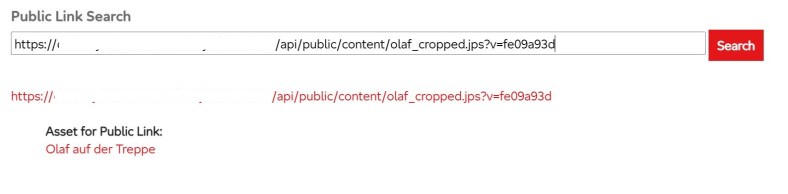
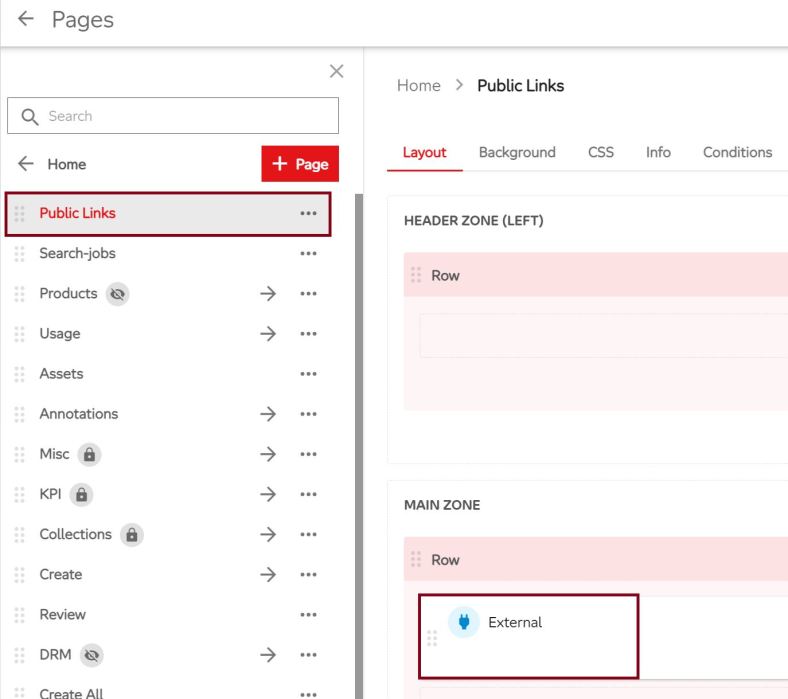
First step: Create a new page and add an external page component to it. Then you can edit your component and put in the template and code. In my case I added a searchbox and the list of results will be added dynamically via code.

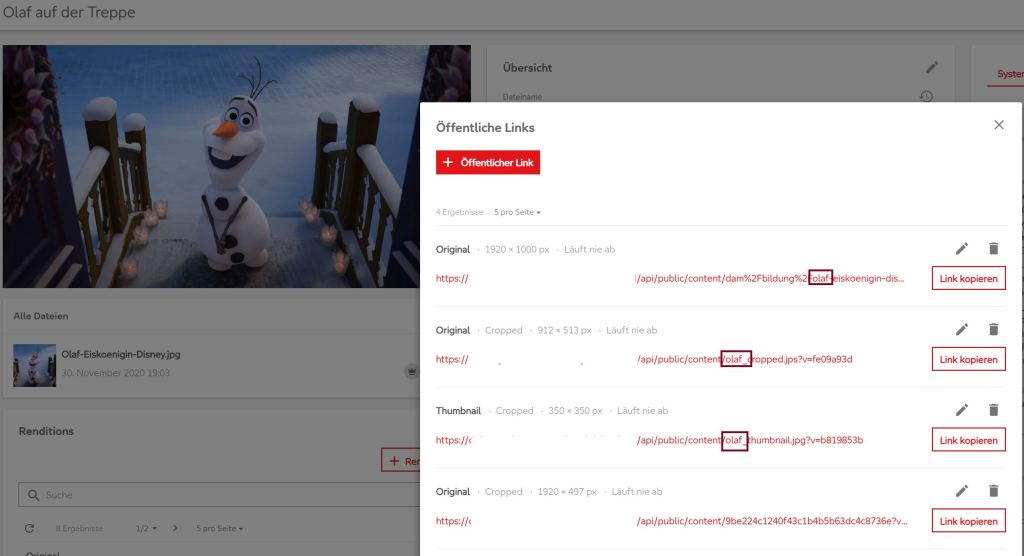
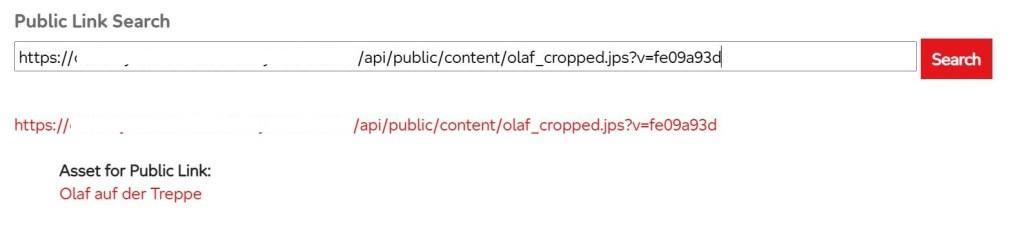
Now it’s time for retrieving the asset. For this we first try to find the public link entity via entites_by_query api. There are two ways we want to go: Putting in the complete URL of the public link and putting in just a fragment.
var updateUI = function(skip, take)
{

  [..]

 var fetchUrl = 'https://your-content-hub-url/api/entities/query?query=Definition.Name==\'M.PublicLink\' AND FullText==\''+ searchstring +'\'&skip='+ skip +'&take=' + take;

 if(searchstring.startsWith("http"))
 {
    var relativeUrl = getRelativeUrl(searchstring);
    fetchUrl = 'https://your-content-hub-url/api/entities/query? query=Definition.Name==\'M.PublicLink\' AND String(\'RelativeUrl\')==\''+ relativeUrl+'\'&skip='+ skip +'&take=' + take
 }
 fetch(fetchUrl)
 .then(response => response.json())
 .then(function(data)
 { // now you can work with the results for public link entities
So you can see, we get the public link entities by just fetching the url and mapping the response to a json object. Now we can do the next step: for getting the asset, we need to find out the parent(s) of the assettopublink relation. Hint: Because a public link is unique, there should be only one parent.
for (var i = 0; i < data.items.length; i++)
{
 setEntries(jQuery('#entry_' + i + ' .list'), data.items[i]);
}

var setEntries = function(list, publicLink)
{
 [..]
 fetch('https://your-content-hub-url/api/entities/'+ publicLink.id
 +'/relations/AssetToPublicLink')
 .then(response => response.json())
 .then(function(relation)
	{
		// next step: getting asset details
	})
};
We retrieve the relation entity via entity_relation_by_name api, we just need the public link entity’s id for this. Again we just fetch the url and map the response to a json object to work with it.
Now the last step: we can find the asset entity via entity_by_id api. Therefore we fetch for every parent in the relation entity the property href.
for(var i = 0; i < relation.parents.length; i++)
{
  fetch(relation.parents[i].href)
  .then(response => response.json())
  .then(function(asset)
   {
     list.append('<a href=\'https://your-content-hub-url/de-de/asset/'+ asset.id
     +'\'>'+ asset.properties.Title +'</a');
   });
}
Because we know the base url for asset detail pages, we can add the url and asset’s title to our result list.
So you see, it’s not that complicated. You retrieve the public link entity, then the relation entity and last the asset entity.

One helpful hint: You can put in your code console.log(options.api); and get all apis which you can call, for example:
entities_by_query:

href: "https://your-content-hub-url/api/entities/query{?query,skip,take,members,renditions,culture,sort,order,sortCulture,nestedRelations,permissionsToLoad}"

templated: true

title: "Entities by query"
And last but not least: You need to subscribe to an event to get your code called. If you are not on an entity’s page where you use the “entityLoaded”-event, you can use just “ready”.
var readySubscription = options.mediator.subscribe("ready", function(entity)
{
  jQuery('#search-button').click(function(){
		updateUI(0, take);
   });

   jQuery('#search-input').keyup(function(event)
   {
     if (event.keyCode === 13) {
     event.preventDefault();
     updateUI(0, take);
   }
   });
});
I hope my little PoC, which is honestly quick and dirty, can help you.
 Anna's blog
Anna – love the blog. One of the most informative about Sitecore that I’ve found. I have a question about public links in Content Hub that I cannot seem to find the answer for – thought perhaps you would know. If one creates a public link with no expiration and then updates the master version of the asset, will that link show the version for which it was created or will it show the master version? Thanks again!
LikeLike
Hi Draelius,
thank you!
Checked that a few moments ago..
So, you have an asset with public link: https://public-url/relative-url.jpg?v=123456
As you can see there is the version query string.
When you change master file, that public link is updated automatically and the version query string is changed.
–> https://public-url/relative-url/.jpg?v=456789
In case you call your first public link the old master file is shown. In case you call the new public link the new master file is shown. And in case you leave out the version query string, the last cached version is shown until cache clear.
LikeLike