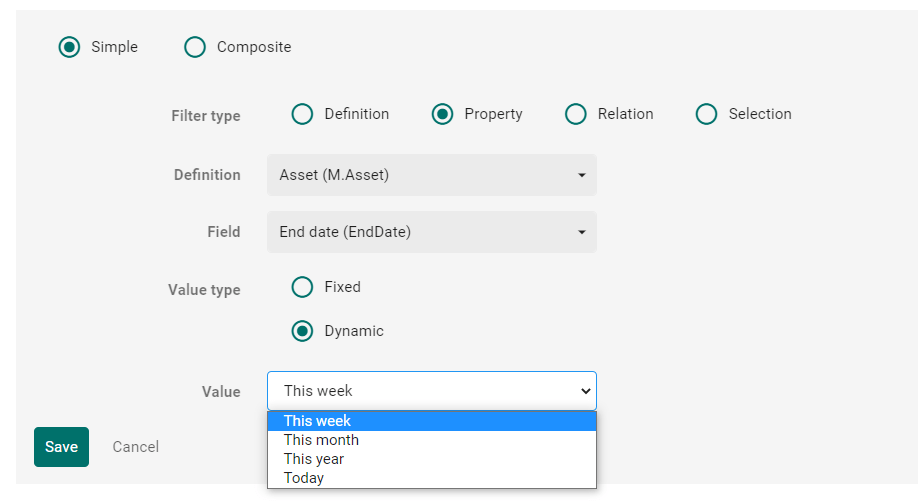
If you build a search page in Content Hub it is possible to have a filter for a date field of your entity. In the following case we want to show all assets which have an end date before today plus 30 days.
Out of the box it is possible to set a dynamic filter on a date field of an entity.
When you add a relation field in an entity and make this visible in the Entity details component on the Detail page you can see a default search, which is just a list of entities with a search field. But what if you want to enhance this search with facets e.g.? This blogpost will show you how to do this.
Sometimes in Content Hub scripting we need to read settings which are configured in Content Hub. You have to be careful, because you can crash the Content Hub. Following I will show you how to do this and what I did wrong.
If you want to setup your own usergroups and their permissions for CMP there are some things you have to consider. It is not enough to give them read or write access to M.Content. In the following paragraphs I will show you what you have to setup.
We all know the requirement, that fields are dependent on other fields. Also in Content Hub projects this can be a requirement for editing details of an entity. Following I will show how to solve this for two taxonomy members of an entity.
The use case is the following: We have a Taxonomy “Category” and a Taxonomy “Section”, both are related to M.Asset and Subcategory is dependent on Category. (We had discussed this example in Sitecore Slack Channel)
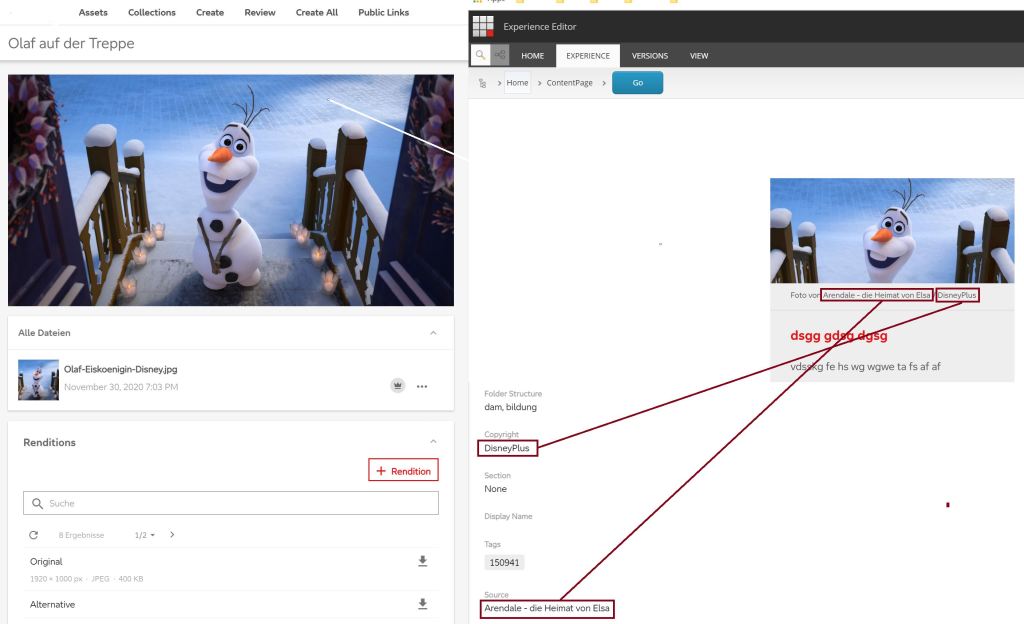
We all know the situation: Some images are restricted and we have to display their copyright and source in the image caption. Editors want to save this information only once. So, if you use the Content Hub they want to do it there.
The work in Content Hub itself is simple, just add two string-properties to the M.Asset-schema and you can edit them for the assets. But how do you get this information in Sitecore? The DAM Connector just comes with a few properties like asset ID, public link and the property you configured to use for alt text.
This blog post gives an idea of enhancing the connector for retrieving the additional properties you need.
Left: Content Hub Asset with Copyright and Source. Right: Preview in Sitecore, Teaser with rendered Copyright and Source.
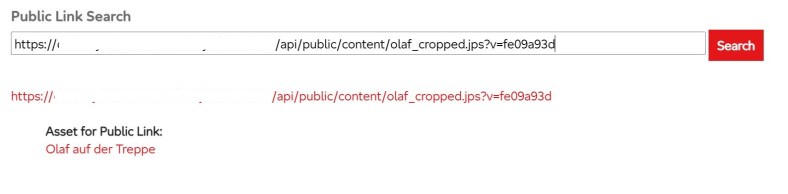
When using the assets from Content Hub there is currently no way ootb to find the asset for a public link. But this is a feature, which could be very senseful, so I tried to find out what we can do in Content Hub for achieving the goal. We can’t configure it in the search component used on the assets page for example. So I tried the way with a new page and an external page component and here is what I found out:
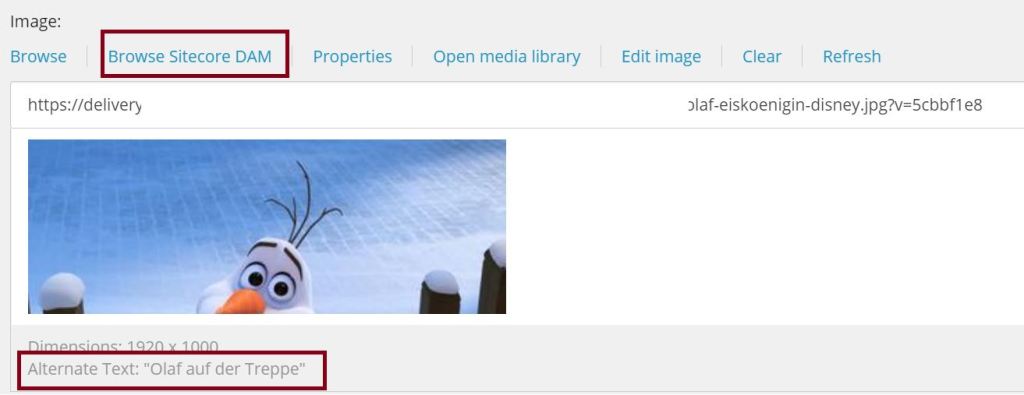
When installing and configuring the connector for choosing Content Hub assets in Sitecore XP there is one thing you might want to configure as well: Which property comes from Content Hub as alternate text.
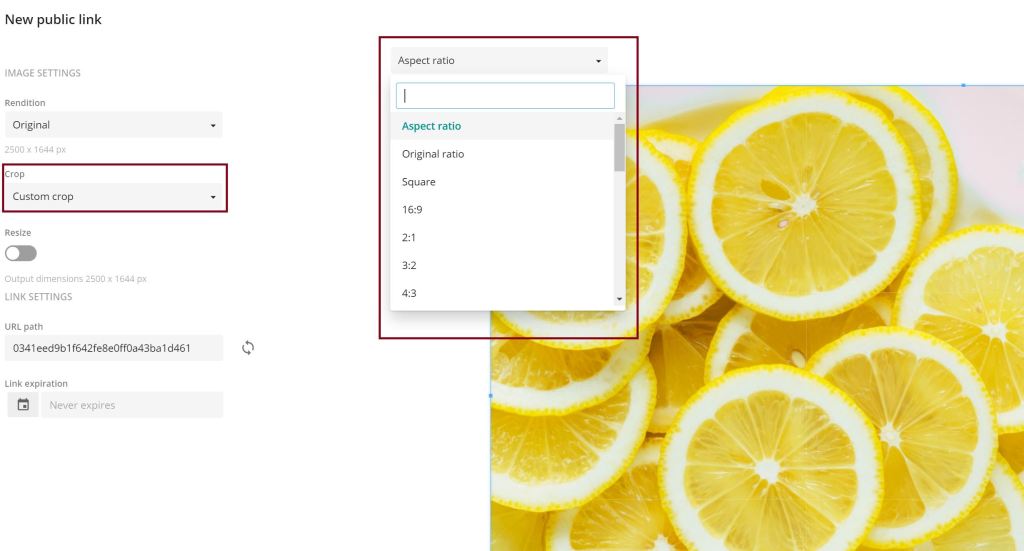
When you create a public link for an image you have some cropping-options, also the custom crop. If you choose this you get a dropdown with preset ratios from which you can choose and crop the image in the format you need. But how can we customize this for our needs?
 Anna's blog