When it comes to creating different content types like blog articles, business reports or similar in Content Hub customers often need different workflows for the different types. In Sitecore Content Hub CMP there is one main state flow which you can configure. Following I will show you how to trigger different state flows.
First we have a look at the action and trigger for the CMP state flow.
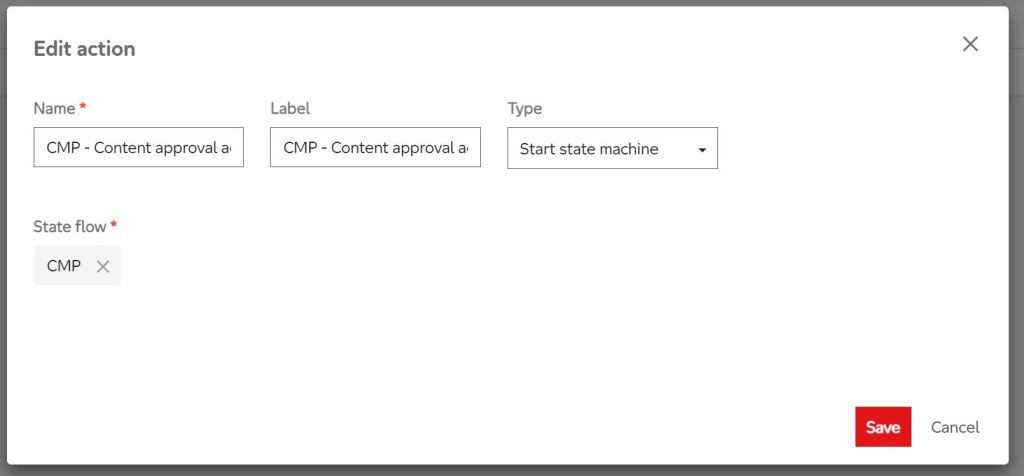
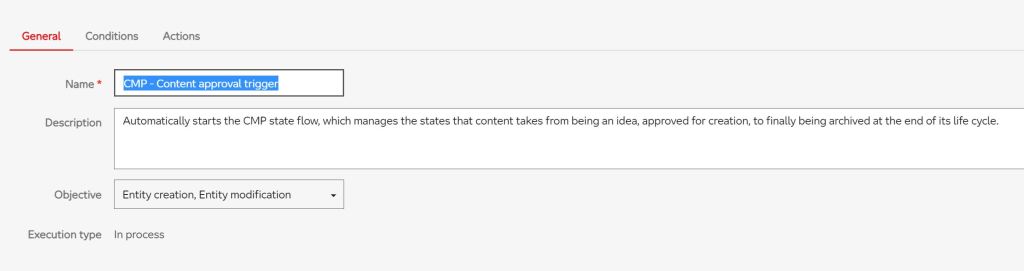
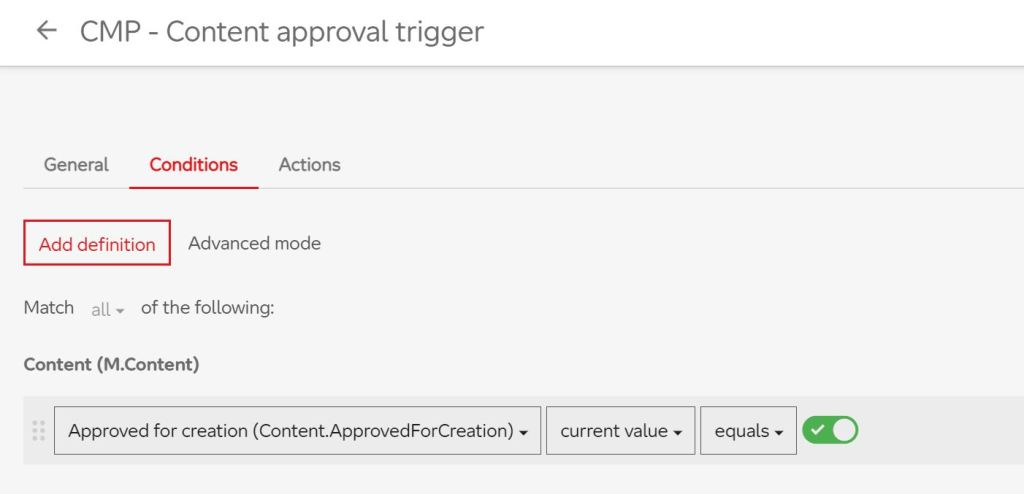

As you can see above there is an action “CMP – Content approval action”, which is of the type “Start state machine”. As State flow the “CMP” state flow is chosen. The “CMP – Content approval trigger” calls this action in process when a M.Content-entity is modified or created and the Content is approved for creation. So, what we have to do now is the following.
- Create our own state flow for the specific type of content. You can have a look into the documentation for this, this is really easy. https://docs.stylelabs.com/content/4.0.x/user-documentation/administration/processing/state-flows/intro.html
- Create our own “Start state machine” action which is referenced to the state flow
- Create the trigger
- Change the condition of the “CMP – Content approval trigger”
At this point I assume you already defined the new state flow. Go to the Manage page and click on “Actions”. Then click on “New action” in the right corner and put in your details like this:
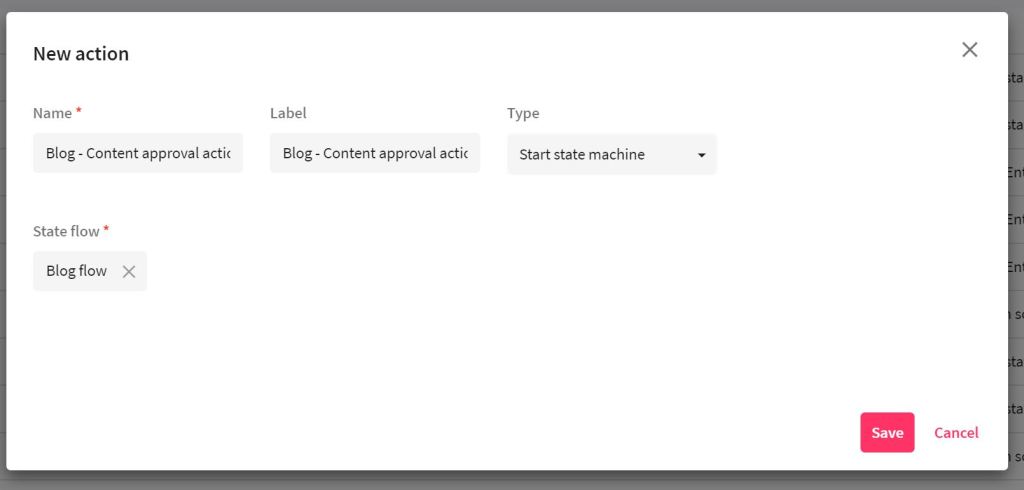
Now we add the trigger. Go to the Manage page again and click on the “Triggers” tile. Click on “New trigger” in the right corner.

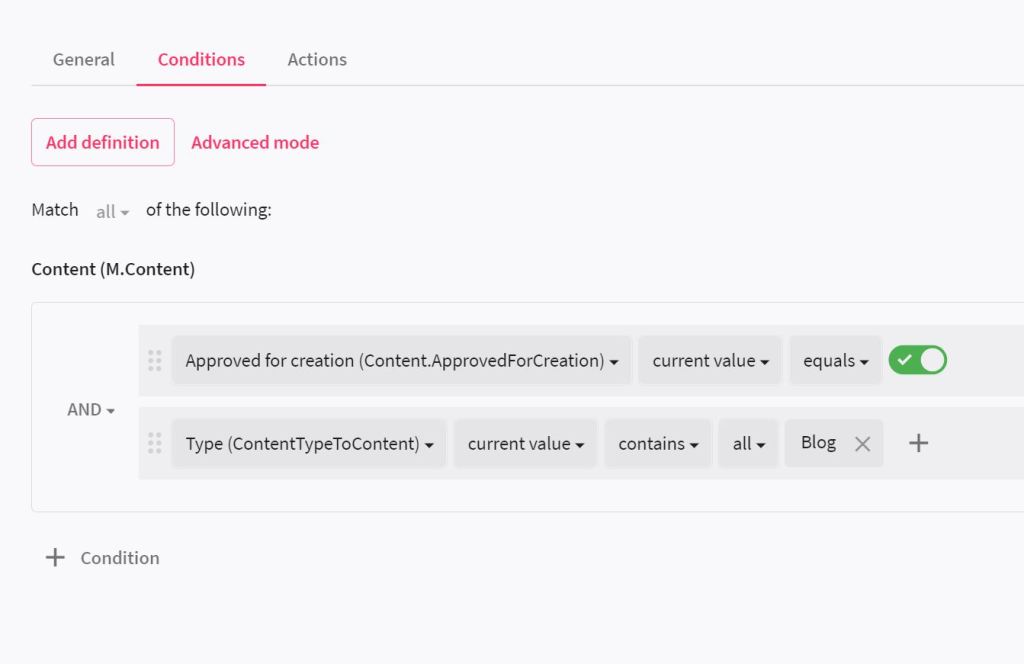

Now you can save the trigger, but do not activate it yet. There is one last thing we have to do. Go to the triggers page and choose the “CMP – Content approval trigger”. Now we add a condition so that for our specific content type for which we configured an own state flow the CMP state flow is not triggered.
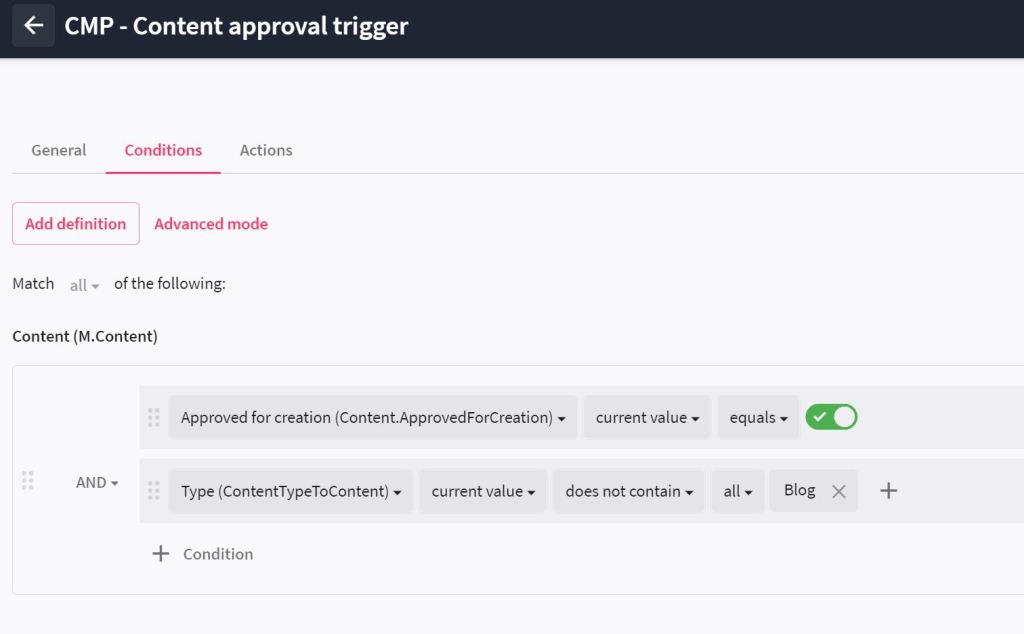
Thanks to the Sitecore Community for finding this out. At first I had no idea how to handle this, but I asked in Sitecore Slack and got a hint how to!
 Anna's blog